READING & WRITING
For someone who has zero experience in animation, Liz Blazer’s Animated Storytelling was an extremely helpful introduction. From basic vocabulary to very clearly demonstrated step-by-step instructions, Blazer’s introduction and first chapter were extremely helpful. However, the concept development and creative brief process were familiar to me. Her casual syntax helped me understand and relate to the material with her comical examples.
I always find it very challenging to come up with an idea without any inspiration or guidelines. I thought the “summon the muse” section was particularly relevant to helping structure a brainstorm when she explains writing everything that pops into your head (Blazer, 6). In addition, I always find that creating an elevator pitch or identifying the tone of a project is helpful in the through-line and clarity of a project.
The most interesting part of the readings was the “Yes, and…” rule. I have done improv comedy for years and know that this is an integral part of the creative process. I think it breaks down any barriers and creates freedom to brainstorm the wildest ideas and expand on them. I believe the expansion creates less inhibition because you must expand on the ideas according to the rules, even if the result goes in a completely different direction. My critique to this section would be taking a step further and adding the element of group “yes, and…” exercises. In group improv, incorporating this rule with a large group of people ends up with the greatest amount of brainstorms when many people are required to run with each idea. I think the same would apply for animated storytelling. You may never know that your one out of the box idea could morph into another even more brilliant one with a group of people who say “yes, and…”.
Blazer, L. (2020). Animated storytelling. Peachpit Press.
RESEARCH TO INFORM
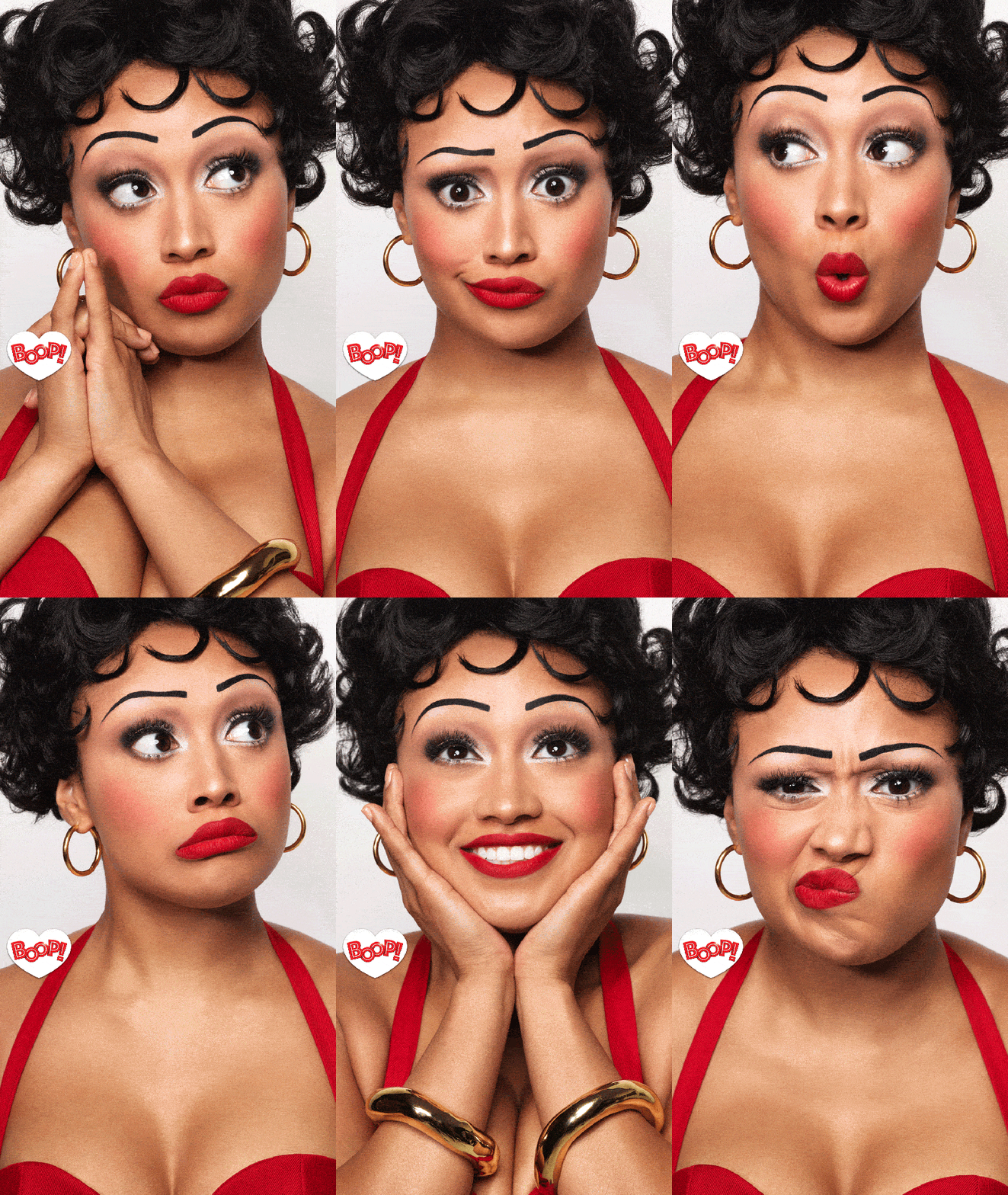
This is a GIF that my company made for Boop, The Musical. This is a fairly simple sequence of pictures, but an example of how making them a GIF creates the comedy of the show and presents many colors in just one glance as opposed to many photos.
This GIF does not have the best resolution but I thought it was a great example of putting together a few different elements and making it seem comical and fun to watch at the same time.

This is a very simple GIF with just one tear open animation but it really caught my eye and is an example of how something very simple can encourage a click or spark interest.

I think Cinemagraphs are so captivating and visually stunning and I can’t wait to learn how to make them. This is such a simple addition of movement that creates a perfect warm and inviting mood.

This is another example of a Cinemagraph that takes a gorgeous picture and makes it even more stunning and inviting with movement. Although I would love to see the birds have movement as well as the waves.
CREATE
MY FIRST GIFS!

My first GIF: This is the first GIF I created! Because I’m a beginner, it took me a while. I had trouble finding a photo with an on/off image that I liked so I grabbed my own from a live photo. I took two screenshots from a live photo and used the cut out method to add the movement and text that appears and disappears.
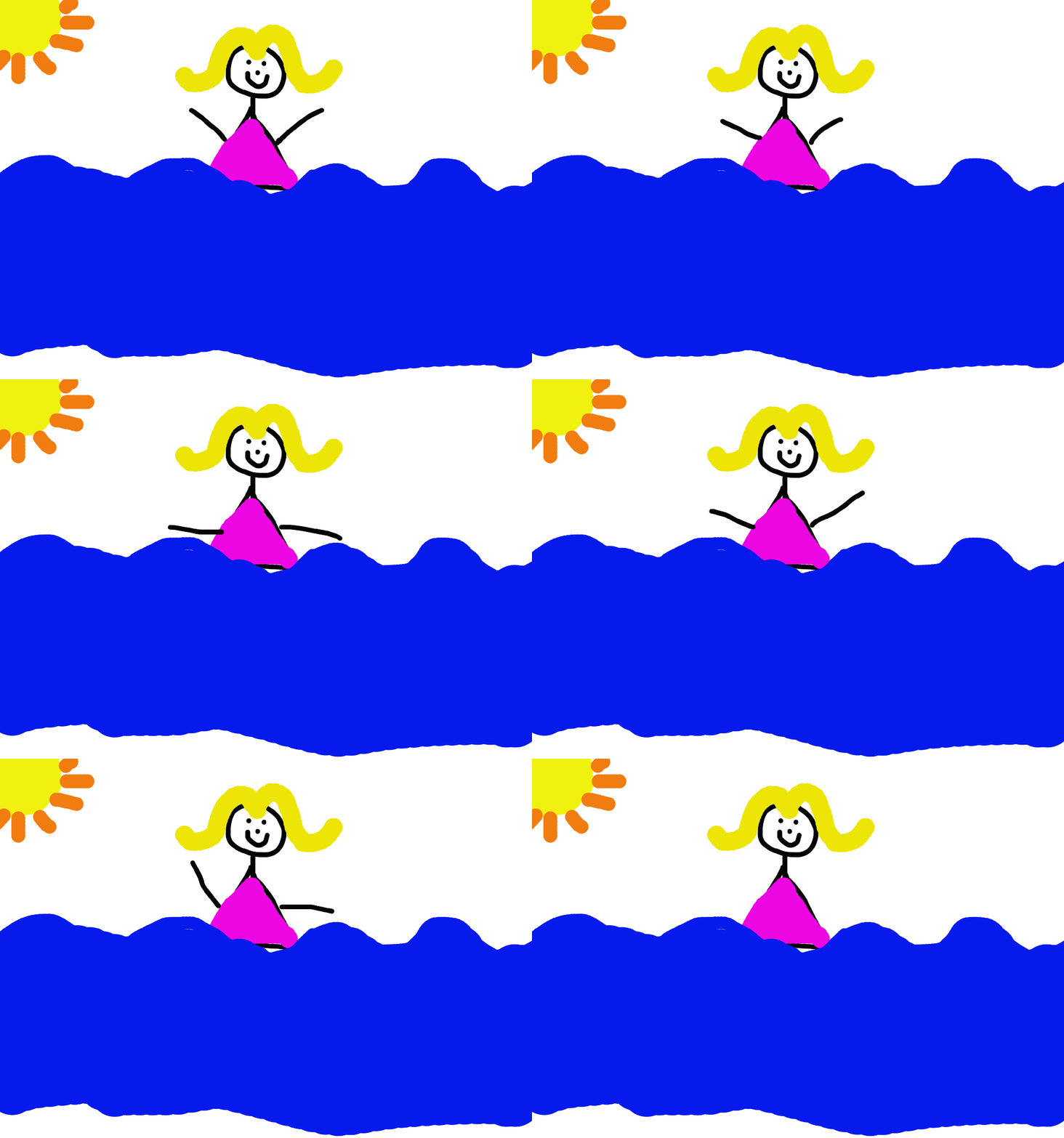
My next GIF I made using the onion skin method below. I had the most fun with this one. Even though it looks like a drawing from a kindergartener, this took me a while to figure out how to draw the consistent body without arms on the background layer then add the arms using the onion skin method.

 Becca Gottlieb Creative
Leave a comment